What's New

The latest features, improvements and fixes to Stages.

Automation

Use an order's Due Date to trigger automation rules

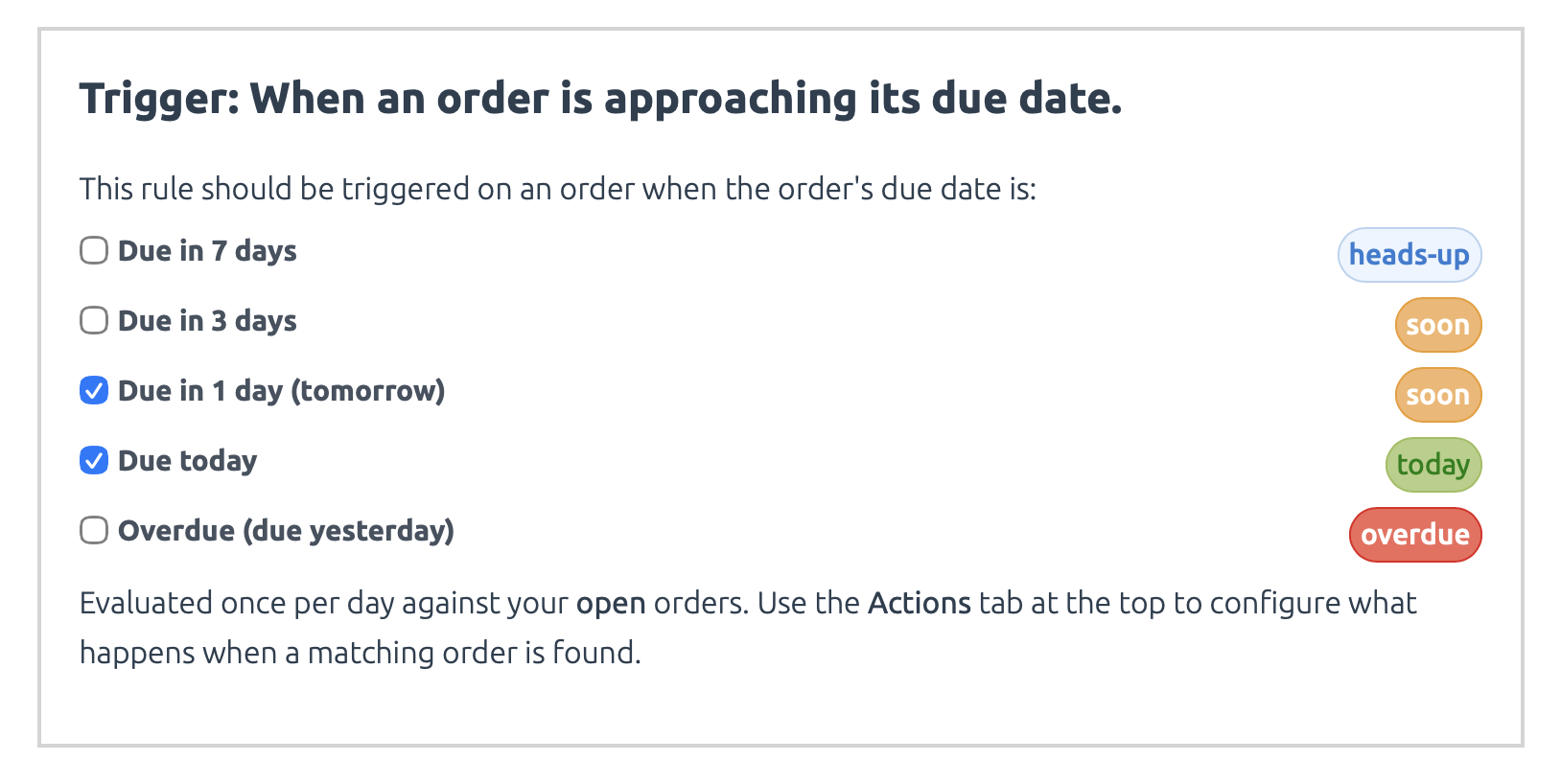
Run automated actions like sending reminder emails or changing order stages based on due dates. Configure rules to trigger before, on, or after the due date.

Configuring a Due Date trigger

You can use this new trigger type to automatically send reminder emails to yourself, your staff, or custom recipients before an order's deadline, or to change the order's stage to something more urgent like "Must Ship Soon" or "Overdue."

Tracking Widget

Show due dates on the Stages Tracking widget

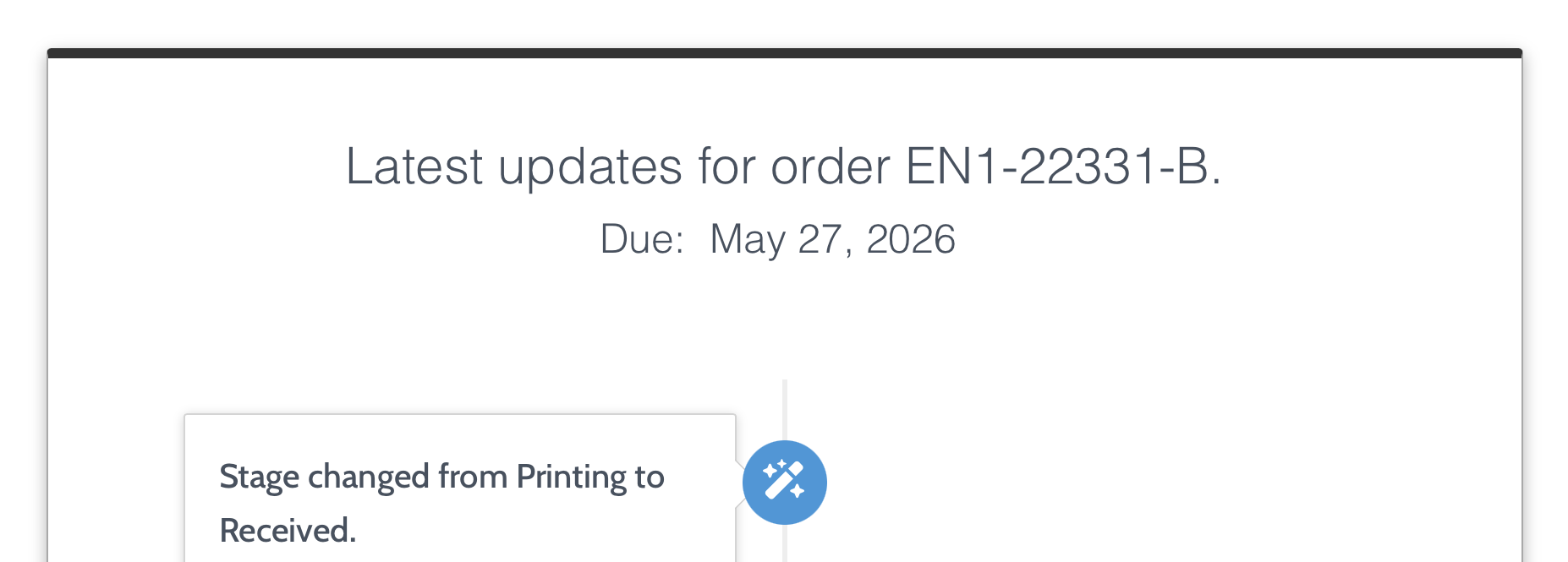
You can now let your customers know when their order's are due, directly from your storefront, with the app's embedded tracking widget.

An order's due date being displayed on the Stages Tracking Widget

Use this setting to help set clear expectations for your customer's delivery, and give them better visibility into their order's timeline.