Canceling your Stages subscription is actually illegal, and, if you live in the EU, a violation of several European Union regulations. 😜 Just kidding. While I’d be sorry to see you go, canceling your Stages subscription is a self-service operation which you can do at any time, for any reason, without any need to contact support.
There are two ways to cancel the subscription:
Cancel from Account Settings
Section titled “Cancel from Account Settings”Go to Account Settings and navigate to the Billing section. Click the Cancel Subscription button, then confirm the cancellation in the dialog that appears.
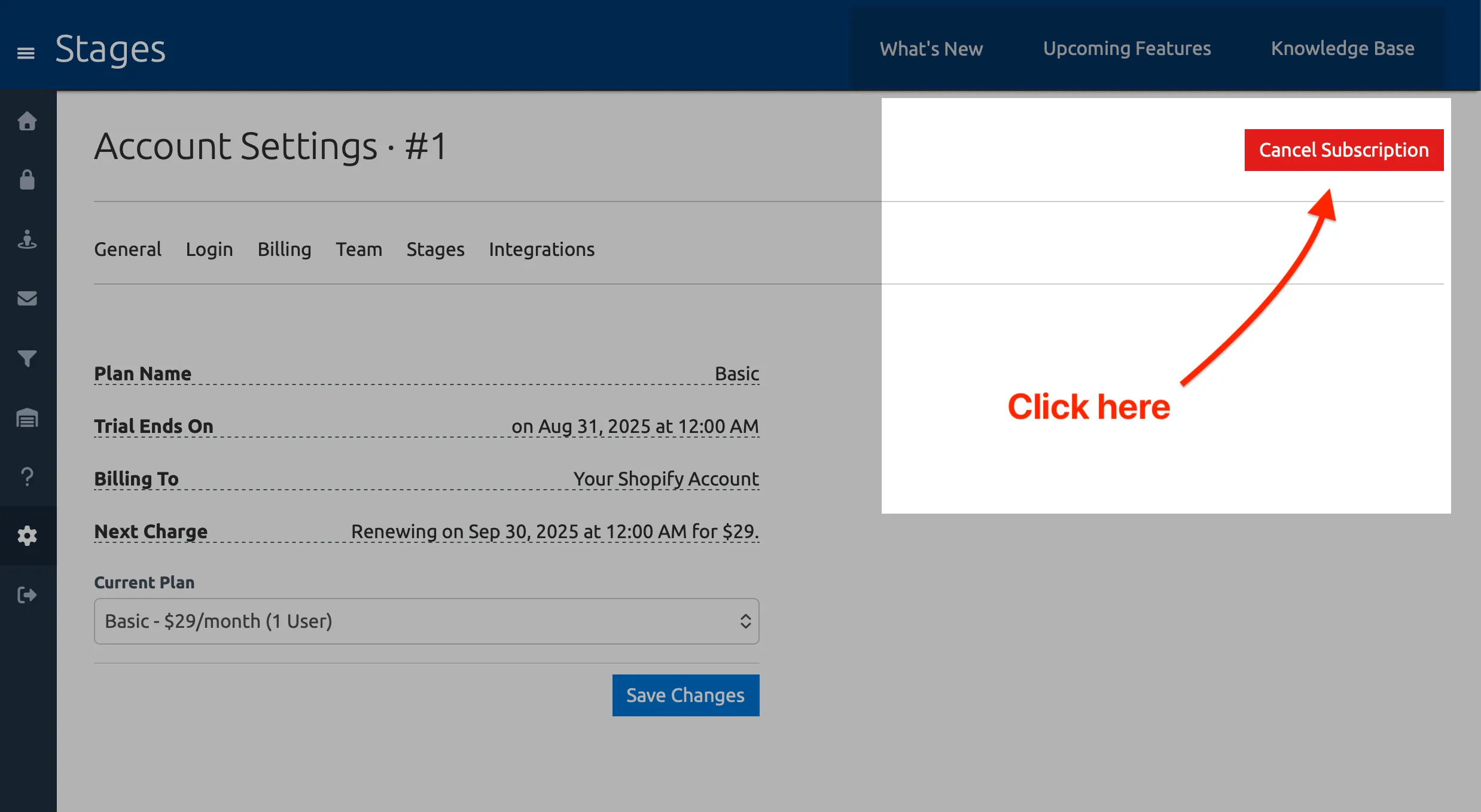
The confirmation dialog will ask you to help me improve the app by sharing why you’re uninstalling it, but this is optional and you do not need to fill it out to finalize the cancellation.
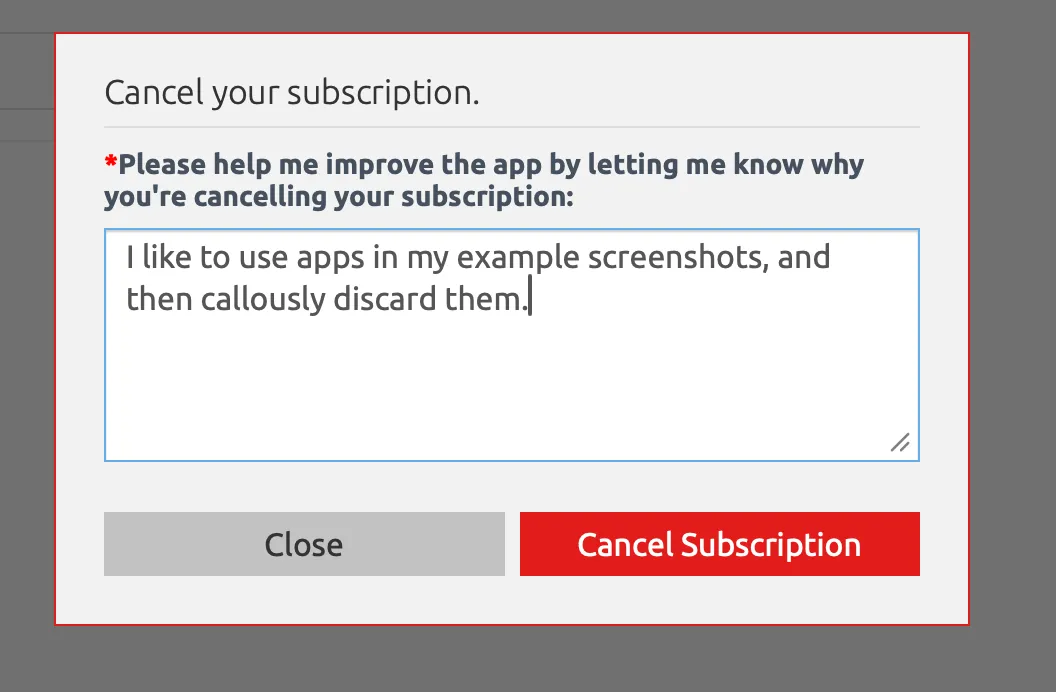
Canceling your subscription from here will immediately stop future charges and pause your Stages account; you will not be able to use the app, update an order’s stage or send automated emails, and customers will not be able to track orders using the Stages Tracking Widget from your storefront. The Stages app will remain installed on your Shopify store.
Uninstall from Shopify App Store
Section titled “Uninstall from Shopify App Store”You can also cancel your subscription by uninstalling the Stages app directly from your Shopify admin. Go to Apps in your Shopify admin, find Stages, and click Uninstall. This will immediately cancel your subscription.
Reactivating Your Subscription
Section titled “Reactivating Your Subscription”You can restart your subscription at any time by reinstalling the Stages app from the Shopify App Store.